Showing posts with label Laptops-and-PCs. Show all posts
Tuesday, August 29, 2017
Friday, November 29, 2013
Lenovo IdeaPad Yoga 2 Pro Review
Monday, October 7, 2013
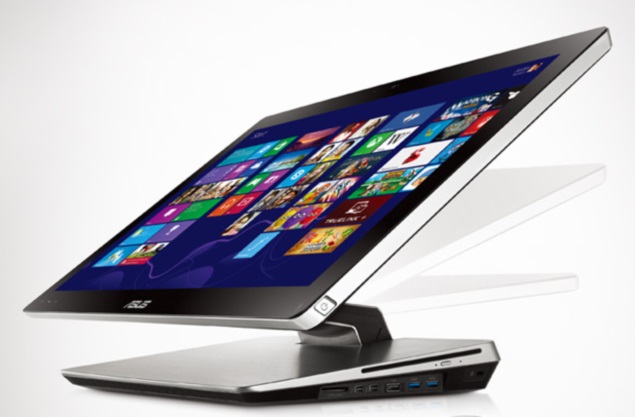
Best budget Windows 8 touchscreen laptops under Rs. 40,000
Touchscreen laptops are clearly the new rage, and
the consumers have clearly spoken - they want those touchscreens. We
help you identify some of the better options you can choose from and
along the way, share some tips as well.
If you are a regular here, you already
know we are not huge fans of a touchscreen on a conventional laptop. We
believe it is pointless, unless it is a machine like a Lenovo IdeaPad
Yoga, that has the flexibility of letting you use it the way you want
to. However, clearly, the consumers are rather chuffed at the idea of
having a touchscreen on their laptop. Maybe it is something
psychological at play here, of getting that little bit extra for the
money you have spent. Or maybe, some of you actually find a touchscreen
on a laptop useful.Friday, August 16, 2013
Seagate Wireless Plus review
Seagate recently announced two new products in the Indian market. While Seagate Central is designed
to be the storage hub of your home/ small office network, Seagate
Wireless Plus aims to offer portable, wireless storage on the go. At Rs.
16,000 for 1TB storage, Seagate Wireless Plus may sound expensive and
the question is, do you get enough value in return? Let's find out.
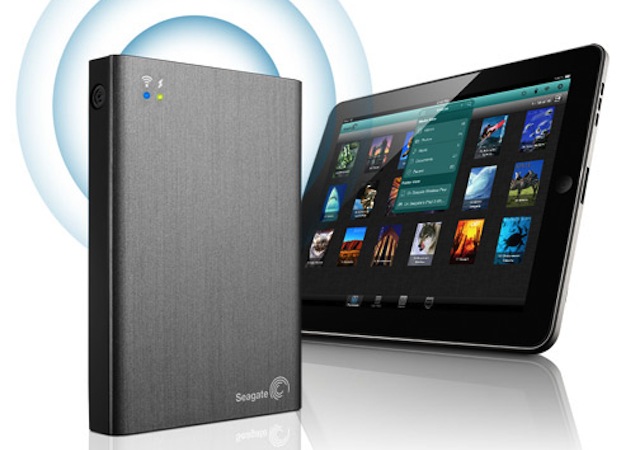
Seagate Wireless Plus looks like any other portable hard disk from the outside, although it's slightly wider and heavier in order to accommodate the extra circuitry needed to provide wireless access and power backup. It comes with two indicator lights - a charging/ low battery indicator, and the broadcast LED that lights up when the drive is ready to accept Wi-Fi connections.
Design/ Setup
Seagate Wireless Plus looks like any other portable hard disk from the outside, although it's slightly wider and heavier in order to accommodate the extra circuitry needed to provide wireless access and power backup. It comes with two indicator lights - a charging/ low battery indicator, and the broadcast LED that lights up when the drive is ready to accept Wi-Fi connections.
Microsoft to release Windows 8.1 on October 17
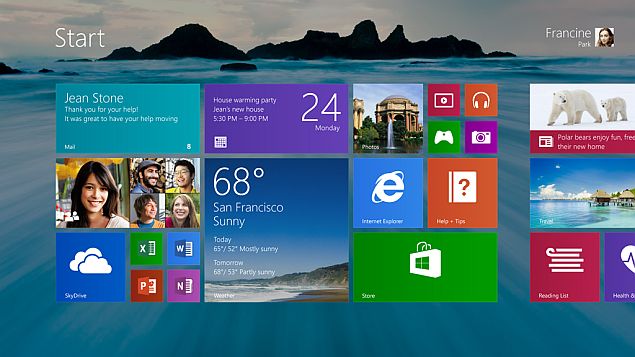
Consumers waiting for Microsoft's revamped version of its latest Windows operating system will be able to get the software beginning Oct. 17.
The release date for Windows 8.1 is nearly a year after the debut of Windows 8, a dramatic overhaul of the operating system that has been powering most personal computers for decades.
Microsoft Corp. unveiled its plans for Windows 8.1 three months ago, but hadn't set a release date until Wednesday. At test version of Windows 8.1 that may still include some bugs has been available since late June.
Thursday, August 15, 2013
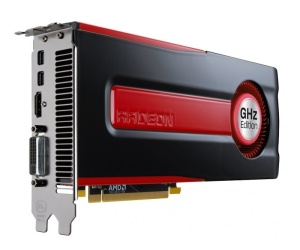
AMD details Never Settle Forever Bundle
Saturday, July 13, 2013
The Core i7-4770K Review: Haswell Is Faster
Intel's Haswell architecture is finally available in the flagship Core i7-4770K processor. Designed to drop into an LGA 1150 interface, does this new quad-core CPU warrant a complete platform replacement, or is your older Sandy Bridge-E system better?
Editor’s Note: Eager to show off what it's doing with Intel’s Haswell architecture, system builder CyberPower PC is offering the Tom’s Hardware audience an opportunity to win a new system based on Intel’s Core i7-4770K processor. Read through our review, and then check out the last page for more information on the system, plus a link to enter our giveaway!
We love fast, and we love efficient. But we also like to see healthy competition driving innovation. And again, on the desktop, there’s not enough of that to push Intel. Ivy Bridge-based CPUs are generally a small step up from the generation prior. And although the Sandy Bridge architecture included a number of notable improvements, unprecedented integration gave away Intel’s growing focus on mobility. Even as we got our hands on great features like Quick Sync, Intel was chiseling away at its enthusiast equity by limiting overclocking to K-series SKUs.
Expect more of the same from Haswell. You're going to see notable per-clock performance improvements, faster graphics, and additional features able to accelerate specific workloads. But you’re also going to witness a clumsy handling of overclocking (again), some strange decisions on the graphics side (again), and incremental gains that’ll have some of us upgrading our desktops, but more folks looking for Haswell-powered mobile platforms.
That's entirely by design, by the way. An emphasis on power is front and center with Haswell. And as a result, this architecture is going to span the broadest range of devices Intel has ever touched with one design. But I’ll argue that enthusiasts on the desktop take a back seat to make it all possible.
Meet Haswell, Now Known As Intel’s Fourth-Gen Core Architecture
Intel is rolling out the details of its Haswell-based processors in a staggered launch. The company plans to ship multiple variations of the architecture across a number of different interfaces, from very low-power segments to very performance-sensitive ones. However, the only arrangement emerging today is the quad-core SoC. Technically, Intel is talking desktop and mobile, though we’re deliberately focusing on the Core i7-4770K desktop CPU. I published a preview of Core i7-4770K’s performance almost three months ago, and that story has some information about Intel’s plans as well.
Haswell-based quad-core processors will ship in two configurations to cover the mobile and desktop markets. Only one is ready today, though. That chip features the HD Graphics 4600 engine, also known as GT2. The second, with Iris Pro Graphics 5200 (or GT3e) is coming later. Intel's engineers claim that Iris Pro scales incredibly well given a lofty power ceiling and enough cooling. However, CPUs endowed with the higher-end graphics engine are BGA-only, meaning they’re soldered down. So, enthusiasts buying LGA 1150-equipped motherboards will only find Core i7 and Core i5 CPUs with four cores and HD Graphics 4600 (technically, there’s also a 35 W Core i5 with fewer cores, but it’s still under wraps).
This implementation of Haswell is composed of 1.6 billion transistors, up from a comparable Ivy Bridge configuration’s 1.4 billion. Optimized expressly for Intel’s 22 nm node, the die measures 177 square millimeters, just slightly larger than quad-core Ivy Bridge at 160 mm².
Put Ivy Bridge and Haswell right next to each other and you might have a difficult time telling them apart. After all, there’s “only” a 200 million-transistor delta separating the two. That 14% growth in transistor count largely comes from a 25% increase in graphics resources compared to last generation.
That’s not to say the processor cores go untouched. Intel says it put specific emphasis on speeding up both today’s legacy code as well as applications we’ll see in the future. To that end, larger buffers enlarge the out-of-order window, which means instructions that would have previously waited for execution can be located and processed sooner. Haswell’s window is 192 instructions. Sandy Bridge was 168. Nehalem was 128. The Haswell branch predictor is improved, too. This is something Intel manages to do every generation—and for good reason, since it simultaneously enables better performance and prevents the wasted work of a branch getting predicted incorrectly. Previously, Intel’s architecture was able to execute six operations per clock cycle. However, Haswell gets two additional ports (one integer ALU and one store), enabling up to eight operations per cycle. And workloads with large data sets should see a benefit from a larger L2 TLB.
All of those changes add up to significant improvement in Haswell’s IPC compared to Ivy Bridge. That’s where we expect most of the speed-up in general-purpose apps to come from this generation, since the top-end Core i7-4770K runs at the same 3.5 GHz as -3770K.
Sure enough, when we set five different processors (employing four different architectures) to the same constant 4 GHz, we see, first, how much more work Intel gets done compared to AMD and, second, a steady progression forward in Intel’s performance.
In addition to the two execution ports Intel adds to Haswell, ports one and two now feature 256-bit Fused Multiply-Add units, doubling the number of peak theoretical floating-point operations per cycle. Integer math gets a big boost as well from AVX2 instruction support.
Of course, multiplying the architecture’s compute potential means little if you can’t get data into the core fast enough. So, Intel also made a number of changes to its caches. Haswell’s L1 and L2 caches are the same size as they were in Ivy Bridge (there’s a 32 KB L1 data, 32 KB L1 instruction, and 256 KB L2 cache per core). Bandwidth to the caches is up to doubled, though, and we’ll see in our synthetic testing that the L1D is indeed quite a bit faster. Intel claims that it can do one read every cycle from the L2 (versus one read every other cycle in Ivy Bridge), but we aren’t able to replicate those figures in our own testing.
| Cores / Threads | Base Freq. | Max. Turbo | L3 | HD Graphics | Graphics Max Freq. | TDP | Price | |
|---|---|---|---|---|---|---|---|---|
| Fourth-Gen Core i7 Family | ||||||||
| 4770T | 4/8 | 2.5 GHz | 3.7 GHz | 8 MB | 4600 | 1,200 MHz | 45 W | $303 |
| 4770S | 4/8 | 3.1 GHz | 3.9 GHz | 8 MB | 4600 | 1,200 MHz | 65 W | $303 |
| 4770 | 4/8 | 3.4 GHz | 3.9 GHz | 8 MB | 4600 | 1,200 MHz | 84 W | $303 |
| 4770K | 4/8 | 3.5 GHz | 3.9 GHz | 8 MB | 4600 | 1,250 MHz | 84 W | $339 |
| 4770R | 4/8 | 3.2 GHz | 3.9 GHz | 6 MB | Iris Pro 5200 | 1,300 MHz | 65 W | N/A |
| 4765T | 4/8 | 2.0 GHz | 3.0 GHz | 8 MB | 4600 | 1,200 MHz | 35 W | $303 |
| Fourth-Gen Core i5 Family | ||||||||
| 4670T | 4/4 | 2.3 GHz | 3.3 GHz | 6 MB | 4600 | 1,200 MHz | 45 W | $213 |
| 4670S | 4/4 | 3.1 GHz | 3.8 GHz | 6 MB | 4600 | 1,200 MHz | 65 W | $213 |
| 4670K | 4/4 | 3.4 GHz | 3.8 GHz | 6 MB | 4600 | 1,200 MHz | 84 W | $242 |
| 4670 | 4/4 | 3.4 GHz | 3.8 GHz | 6 MB | 4600 | 1,200 MHz | 84 W | $213 |
| 4570 | 4/4 | 3.2 GHz | 3.6 GHz | 6 MB | 4600 | 1,150 MHz | 84 W | $192 |
| 4570S | 4/4 | 2.9 GHz | 3.6 GHz | 6 MB | 4600 | 1,150 MHz | 65 W | $192 |
The Core i7-4770K gives us an 8 MB shared L3 cache, similar to Core i7s before it. Although the Sandy and Ivy Bridge designs employed a single clock domain that kept the cores and L3 running at the same speed, Haswell decouples them. Our cache bandwidth benchmark reveals a slight hit to L3 throughput, though improvements elsewhere in the System Agent keep the results fairly even.
Haswell offers the same 16 lanes of PCI Express 3.0 connectivity as Ivy Bridge, and validated memory data rates up to 1,600 MT/s. The desktop line-up’s thermal targets are quite a bit different as a result of Intel’s fully-integrated voltage regulator, but an upper bound of 84 W isn’t extreme by any stretch and a floor of 35 W is pretty familiar.
All of Intel’s upgradable processors now drop into an LGA 1150 interface, meaning any decision to adopt Haswell is also going to require a motherboard purchase, at least. So, before you drop several hundred dollars on a brand new platform, let’s figure out if Core i7-4770K is worth the investment.
Friday, June 21, 2013
4th Generation Intel® Core™ i7 Processor
Amazing performance and stunning visuals at their best.
Get top-of-the-line performance for your most demanding tasks with a 4th
generation Intel® Core™ i7 processor. For a difference you can see and
feel in HD and 3-D, multitasking and multimedia, the 4th generation
Intel Core i7 processor is perfect for all your most demanding tasks.
Effortlessly move through applications with smart multitasking from Intel® Hyper-Threading Technology1. Enjoy the thrill of an automatic burst of speed when you need it with Intel® Turbo Boost Technology 2.02. Experience your movies, photos, and games smoothly and seamlessly with a suite of built-in visual enhancements—no extra hardware required3.
Get a boost in performance you can see and feel, along with longer battery life, built-in security for deeper protection4, and extra peace of mind from enhanced security. Choose the 4th generation Intel Core i7 processor for whatever you want to accomplish. Because the only thing more amazing than Intel® technology is what you’ll do with it.
Additional performance information: 5
Effortlessly move through applications with smart multitasking from Intel® Hyper-Threading Technology1. Enjoy the thrill of an automatic burst of speed when you need it with Intel® Turbo Boost Technology 2.02. Experience your movies, photos, and games smoothly and seamlessly with a suite of built-in visual enhancements—no extra hardware required3.
Get a boost in performance you can see and feel, along with longer battery life, built-in security for deeper protection4, and extra peace of mind from enhanced security. Choose the 4th generation Intel Core i7 processor for whatever you want to accomplish. Because the only thing more amazing than Intel® technology is what you’ll do with it.
Additional performance information: 5
Specifications
| Processor Number | Cache | Clock Speed | # of Cores/ # of Threads |
Max TDP/ Power |
Memory Types | Graphics |
|---|---|---|---|---|---|---|
| Intel® Core™ i7-4950HQ Processor (6M Cache, up to 3.60 GHz) | 6.0 MB | 2.40 GHz | 4 / 8 | 47 | DDR3L-1333,1600 | Intel® Iris™ Pro graphics 5200 |
| Intel® Core™ i7-4850HQ Processor (6M Cache, up to 3.50 GHz) | 6.0 MB | 2.30 GHz | 4 / 8 | 47 | DDR3L-1333,1600 | Intel® Iris™ Pro graphics 5200 |
| Intel® Core™ i7-4750HQ Processor (6M Cache, up to 3.20 GHz) | 6.0 MB | 2.00 GHz | 4 / 8 | 47 | DDR3L-1333,1600 | Intel® Iris™ Pro graphics 5200 |
| Intel® Core™ i7-4770R Processor (6M Cache, up to 3.90 GHz) | 6.0 MB | 3.20 GHz | 4 / 8 | 65 | DDR3L-1333/1600 | Intel® Iris™ Pro graphics 5200 |
4th Generation Intel® Core™ i5 Processor
Work faster and smarter. Up to 2x faster.
Spend clicks – not hours – preparing your videos.
Increased battery life frees you to be productive longer.
Amazing performance and stunning visuals with a boost. Raise the bar on your PC experience with rich visuals plus an automatic burst of speed when you need it1.
The 4th generation Intel® Core™ i5 processor delivers amazing
performance, stunning visuals, and built-in security for deeper
protection.2
Discover the thrill of an automatic burst of speed when you need it with Intel® Turbo Boost Technology 2.0. 1 Experience your movies, photos, and games smoothly and seamlessly with a built-in suite of visual enhancements3—and enjoy them even more with longer battery life.
Get a boost in your performance that you can truly see and feel, along with extra peace of mind from enhanced security. Because the only thing more amazing than Intel® technology is what you’ll do with it.
Additional performance information: 4, 5
Get a boost in your performance that you can truly see and feel, along with extra peace of mind from enhanced security. Because the only thing more amazing than Intel® technology is what you’ll do with it.
Additional performance information: 4, 5
Product Brief:
Preview |
Download
Specifications
| Processor Number | Cache | Clock Speed | # of Cores/ # of Threads |
Max TDP/ Power |
Memory Types | Graphics |
|---|---|---|---|---|---|---|
| Intel® Core™ i5-4570R Processor (4M Cache, up to 3.20 GHz) | 4.0 MB | 2.70 GHz | 4 / 4 | 65 | DDR3L-1333/1600 | Intel® Iris™ Pro graphics 5200 |
| Intel® Core™ i5-4670R Processor (4M Cache, up to 3.70 GHz) | 4.0 MB | 3.00 GHz | 4 / 4 | 65 | DDR3L-1333/1600 | Intel® Iris™ Pro graphics 5200 |
| Intel® Core™ i5-4250U Processor (3M Cache, up to 2.60 GHz) | 3.0 MB | 1.30 GHz | 2 / 4 | 15 | DDR3L-1333/1600; LPDDR3-1333/1600 | Intel® HD graphics 5000 |
| Intel® Core™ i5-4350U Processor (3M Cache, up to 2.90 GHz) | 3.0 MB | 1.40 GHz | 2 / 4 | 15 | DDR3L-1333/1600; LPDDR3-1333/1600 | Intel® HD graphics 5000 |
4th Generation Intel® Core™ i3 Processor
Amazing performance and stunning visuals start here. Get a
smooth, seamless visual experience with a 4th generation Intel® Core™
i3 processor, featuring longer battery life and built-in security for
deeper protection.1
Effortlessly move among applications with smart multitasking from Intel® Hyper-Threading Technology2. Experience your movies, photos, and games smoothly and seamlessly with a suite of built-in visual enhancements—no extra hardware required3.
Get a difference in performance that you can truly see and feel, along with peace of mind from enhanced security and better flexibility with longer battery life. Because the only thing more amazing than Intel® technology is what you’ll do with it.
Additional performance information: 4
Effortlessly move among applications with smart multitasking from Intel® Hyper-Threading Technology2. Experience your movies, photos, and games smoothly and seamlessly with a suite of built-in visual enhancements—no extra hardware required3.
Get a difference in performance that you can truly see and feel, along with peace of mind from enhanced security and better flexibility with longer battery life. Because the only thing more amazing than Intel® technology is what you’ll do with it.
Additional performance information: 4
Supported System Types:
Intel® Core™ i3 Processors
Specifications
| Processor Number | Cache | Clock Speed | # of Cores/ # of Threads |
Max TDP/ Power |
Memory Types | Graphics |
|---|---|---|---|---|---|---|
| Intel® Core™ i3-4010U Processor (3M Cache, 1.70 GHz) | 3.0 MB | 1.70 GHz | 2 / 4 | 15 | DDR3L-1333/1600; LPDDR3-1333/1600 | Intel® HD Graphics 4400 |
| Intel® Core™ i3-4100U Processor (3M Cache, 1.80 GHz) | 3.0 MB | 1.80 GHz | 2 / 4 | 15 | DDR3L-1333/1600; LPDDR3-1333/1600 | Intel® HD Graphics 4400 |
| Intel® Core™ i3-4010Y Processor (3M Cache, 1.30 GHz) | 3.0 MB | 1.30 GHz | 2 / 4 | DDR3L-1333/1600, LPDDR3-1333/1600 | Intel® HD Graphics 4200 | |
| Intel® Core™ i3-4158U Processor (3M Cache, 2.00 GHz) | 3.0 MB | 2.00 GHz | 2 / 4 | 28 | DDR3L-1333/1600 | Intel® Iris™ graphics 5100 |
Intel® Solid-State Drive DC S3500 Series
Consistently amazing
The Intel® SSD DC S3500 Series combines fast, consistent read
performance with strong data protection and low active power levels to
provide superior quality of service for video conferencing, big data
analytics, or virtual client applications. Consistently low read
latencies of 50µs typical (500µs max for 99.9% of the time) along with a
tight distribution of up to 75,000 input/output per second (IOPS)1 delivers a high-performance, reliable, and efficient SSD specifically designed for data center application upgrades.
Key features and benefits of this drive include an Intel® 3rd generation controller, industry-leading 20nm multi-level cell (MLC) NAND flash technology, full end-to-end data protection, enhanced power-loss data protection, and a broad range of capacities up to 800GB.
More Information
| Capacity | Sequential Read/Write (up to)1 | Random 4KB Read (up to)/Write (up to)2 | Form Factor |
|---|---|---|---|
| 80GB | SATA 6 Gb/s 340 MB/s / 100 MB/s | 70,000 IOPS / 7,000 IOPS | 2.5 and 1.8-inch SATA |
| 120GB | SATA 6 Gb/s 445 MB/s / 135 MB/s | 75,000 IOPS / 4,600 IOPS | 2.5-inch SATA |
| 160GB | SATA 6 Gb/s 475 MB/s / 175 MB/s | 75,000 IOPS / 7,500 IOPS | 2.5-inch SATA |
| 240GB | SATA 6 Gb/s 500 MB/s / 260 MB/s | 75,000 IOPS / 7,500 IOPS | 2.5 and 1.8-inch SATA |
| 300GB | SATA 6 Gb/s 500 MB/s / 315 MB/s | 75,000 IOPS / 9,000 IOPS | 2.5-inch SATA |
| 400GB | SATA 6 Gb/s 500 MB/s / 380 MB/s | 75,000 IOPS / 11,000 IOPS | 1.8-inch SATA |
| 480GB | SATA 6 Gb/s 500 MB/s / 410 MB/s | 75,000 IOPS / 11,000 IOPS | 2.5-inch SATA |
| 600GB | SATA 6 Gb/s 500 MB/s / 410 MB/s | 75,000 IOPS / 11,000 IOPS | 2.5-inch SATA |
| 800GB | SATA 6 Gb/s 500 MB/s / 450 MB/s | 75,000 IOPS / 11,500 IOPS | 2.5 and 1.8-inch SATA |
Subscribe to:
Posts (Atom)